How to Build a Classroom Reward Sticker System That Still Works for Older Kids

TLDR

  • Older students may still like stickers, but they usually reject designs and systems that feel intended for very young children.
  • Connect each sticker to a specific action, skill, or measurable goal.
  • Let students help choose sticker designs and reward options.
  • Track progress privately rather than ranking behavior on a public wall.
  • Use privileges, choice, recognition, and experiences instead of relying only on candy or prizes.
  • Reduce the reward system gradually as students become more independent.

A fifth grader may enjoy earning a sticker. The same student may be embarrassed by a smiling cartoon apple placed on a public chart beside everyone’s name.

That distinction matters. A classroom reward sticker system can still work for upper-elementary and middle-school students, but it must respect their growing independence. The stickers should feel like progress markers, badges, points, or collectibles, not decorations chosen for preschoolers.

Why Sticker Systems Often Stop Working With Older Students

Older students are quick to notice when a classroom system feels childish, unfair, or easy to manipulate.

Common problems include:

  • The stickers look too young.
  • The reward takes too long to earn.
  • Students do not care about the available prizes.
  • The same students earn stickers every day.
  • Expectations are vague.
  • Progress is displayed publicly.
  • Stickers are taken away after they have been earned.
  • The teacher forgets to use the system consistently.
  • The reward becomes more important than the skill.

The problem is not always the sticker. It is often the structure around it.

A sticker can represent a point in a classroom token system. Token economies have been studied as a way to increase appropriate classroom behavior, although results depend on the students, setting, implementation quality, and target behavior.[1][2] Stickers are simply one physical way to make progress visible.

Define the Purpose Before Choosing the Stickers

Start with the behavior or skill you want to strengthen.

“Be good” is too vague. “Show responsibility” may also be too broad unless students know what responsibility looks like in that classroom.

Better targets include:

  • Begin the warm-up within two minutes.
  • Bring required materials.
  • Submit assignments by the deadline.
  • Ask for help before giving up.
  • Follow discussion rules.
  • Complete an independent work block.
  • Use lab equipment correctly.
  • Return shared materials.
  • Give useful peer feedback.
  • Revise work after receiving feedback.

Positive behavior systems are stronger when expected behaviors are taught and acknowledged clearly rather than assumed.[3] The sticker should tell the student, “That specific action was noticed.”

Use Behavior-Specific Feedback

Do not silently hand over a sticker.

Pair it with a brief explanation:

“You earned this for starting the assignment without a reminder.”

“This marks your third day of bringing every lab item.”

“You stayed with that problem after the first method failed.”

The wording connects the sticker to the skill. Otherwise, students may see the system as random.

Build a Simple Earning Structure

A useful system has four parts:

  1. A clearly defined action
  2. A sticker or token earned after the action
  3. A visible but private way to track progress
  4. A reward or privilege available at a known threshold

Here is one example:

Target BehaviorSticker EarnedThresholdPossible Reward
Start work on timeOne focus stickerFiveChoose a work location
Complete independent readingOne reading badgeEightRecommend the next class read-aloud excerpt
Help the group without taking overOne teamwork iconFiveChoose the group role next time
Revise an assignment thoughtfullyOne revision stickerFourReplace the lowest practice score where allowed
Bring required materialsOne preparation pointTenUse a teacher supply kit for a week
Meet a personal goalOne progress stickerStudent-specificSelect from a reward menu

Keep the first reward close enough to feel reachable. Once students understand the system, the threshold can increase.

Do not create a complicated classroom economy that takes longer to manage than the lesson itself.

Make the Stickers Look Appropriate for the Age Group

Older students do not need every sticker to say “Great Job!” in bubble letters.

Use designs that could reasonably appear on a laptop, notebook, water bottle, game achievement screen, or music playlist.

Possible design directions include:

  • Clean geometric icons
  • Simple symbols
  • Subject-related illustrations
  • Pixel-art badges
  • Space, nature, sports, or technology themes
  • Short phrases
  • Small holographic accents
  • Minimal black-and-white designs
  • Student-created art
  • Collectible sets

Instead of “Super Student,” try:

  • Focused
  • Prepared
  • Revised
  • On Time
  • Problem Solver
  • Good Question
  • Strong Evidence
  • Team Assist
  • Level Up
  • Streak: 5
  • Challenge Complete

The sticker does not have to praise the student’s personality. It can identify the action that occurred.

“Strong revision” is usually more useful than “You’re so smart.” It points students toward something they can repeat.

Give Students a Choice

Student voice matters because teachers cannot always predict which incentives older students will value. PBIS guidance encourages schools to include student perspectives when designing and adapting behavior-support systems.[4]

Give the class a short list of sticker styles and let students vote. Or allow each student to choose from several sticker categories.

Choice can also apply to rewards.

One student may want to sit with a friend. Another may value quiet work time, music during independent practice, a positive message home, or the ability to choose between two assignments.

A Better Reward Menu for Older Kids

Low-cost options include:

  • Choose a seat for one class period
  • Use headphones during approved independent work
  • Select the warm-up question
  • Be first to choose a group role
  • Recommend classroom music from an approved list
  • Take a brief drawing or reading break
  • Use special classroom supplies
  • Drop one low-stakes practice item
  • Receive an extra revision opportunity
  • Choose between two assignment formats
  • Help design the next review activity
  • Add a question to the class trivia game
  • Receive a private positive note or email home
  • Save points toward a larger privilege

The reward must fit school policy and should not remove essential instruction.

Avoid making every reward a physical object. Experiences and choices often remain interesting longer and cost the teacher less.

Keep Progress Private

A public chart may motivate some students. It may embarrass others.

Older students are especially sensitive to status, comparison, and visible failure. A wall chart showing who has zero stickers can quickly become a public ranking system.

Better options include:

  • A card inside a folder
  • A small passport kept in a binder
  • A private section of a planner
  • Stickers placed on an individual goal sheet
  • A numbered card known only to the student
  • A digital point balance paired with physical sticker milestones
  • A small collectible sheet stored at the teacher’s desk

Students may choose to display stickers on personal items, but that should be their decision.

Private tracking also makes it easier to use different goals. One student may be working on assignment completion while another is practicing discussion participation. The system does not need to pretend every student requires the same support.

Use Individual and Group Rewards Carefully

Individual rewards recognize personal progress. Group rewards can build cooperation. Both can cause problems when they are poorly designed.

Individual Systems Work Best When

  • Students have different goals.
  • Progress needs to remain private.
  • The behavior is under the student’s control.
  • The teacher can distribute stickers fairly.

Group Systems Work Best When

  • The class is practicing a shared routine.
  • Every group has a reasonable chance to succeed.
  • One student cannot ruin the reward for everyone.
  • Cooperation is part of the learning goal.

Avoid systems where the entire class loses a reward because of one student. That can turn classmates into behavior monitors and isolate students who already struggle.

A group might instead earn a sticker when every member completes a defined role. If the group does not earn it, the teacher reteaches the routine and gives them another opportunity.

Do Not Use Stickers as Surprise Bribes

A planned reward system is different from offering a prize in the middle of a conflict.

A classroom reward is defined before the behavior occurs:

“When you complete the three agreed steps, you earn one progress sticker.”

A bribe often appears after resistance has begun:

“Stop arguing and I’ll give you two stickers.”

The second approach teaches students that escalating may improve the offer.

Keep the earning rules predictable. Students should know what the sticker represents before they begin the task.

Be Careful About Taking Earned Stickers Away

Once a sticker has been earned for a completed behavior, removing it later can make the system feel unstable.

Suppose a student earns a preparation sticker in the morning and talks out of turn after lunch. Taking away the preparation sticker changes its meaning. The student did arrive prepared, even though another behavior later needs correction.

Address the later behavior separately. Use a reminder, reteaching, logical consequence, or another appropriate classroom response.

This does not mean there can never be costs in a classroom economy. But systems that remove points need clear rules and careful use. For a basic sticker system, keeping earned progress secure is usually simpler.

Protect Intrinsic Motivation

Rewards can help students begin a difficult routine, practice a new behavior, or experience early success. But they should not become the only reason to read, solve problems, revise writing, or help another person.

Research on rewards and intrinsic motivation is not one-sided. Rewards can change behavior, but poorly chosen or overly controlling rewards may reduce interest in activities students already enjoy.[5][6]

Use a reward system for a specific purpose.

Good uses include:

  • Establishing a new routine
  • Supporting a student who needs immediate feedback
  • Building consistency
  • Breaking a large goal into smaller steps
  • Helping students notice progress
  • Reinforcing a skill that is not yet automatic

Less useful uses include:

  • Paying students for every ordinary action indefinitely
  • Rewarding only high grades
  • Giving prizes for activities students already choose willingly
  • Replacing useful feedback with tokens
  • Treating compliance as the only classroom goal

The sticker should support learning and independence, not replace them.

Plan How the System Will Fade

A reward system should change as the behavior becomes established.

At first, a student might earn a sticker every time the target behavior occurs. Later, the student might earn one after completing the behavior several times or maintaining it for a full week.

A simple fade-out plan could look like this:

Stage 1: One sticker for each successful attempt
Stage 2: One sticker after two or three successful attempts
Stage 3: One sticker for maintaining a daily goal
Stage 4: One sticker for a weekly streak
Stage 5: Student tracks the behavior without an external reward

Do not remove the system without explanation. Tell students that the change reflects progress.

“You have shown that you can begin the warm-up consistently. We are moving from daily stickers to a weekly check-in.”

The reward becomes evidence that the skill is developing.

Review the System With Students

After two or three weeks, ask:

  • Are the earning rules clear?
  • Do the stickers still feel age-appropriate?
  • Are the rewards worth working toward?
  • Does everyone have a realistic opportunity to earn progress?
  • Is the system taking too much class time?
  • Are students improving at the target behavior?
  • Is anyone embarrassed by the tracking method?
  • Can the reward be reduced or changed?

A short anonymous survey may produce more honest answers than a class discussion.

The system should be adjusted when it is not working. Consistency does not mean keeping a poor design forever.

Common Problems and Practical Fixes

Students Lose Their Sticker Cards

Keep the cards in classroom folders or use a teacher-managed storage pocket.

Students Trade or Copy Stickers

Use initials, dates, different weekly designs, or a small stamp placed partly over the sticker and card.

Students Argue About Fairness

Make expectations observable. Instead of rewarding “good participation,” reward “used evidence in the discussion” or “completed the assigned group role.”

The Teacher Forgets to Give Stickers

Connect distribution to an existing routine, such as the end of independent work or the final two minutes of class.

Students Stop Caring

Ask students to update the reward menu. Shorten the first threshold. Introduce a new collectible series. Then check whether the target behavior still needs a reward at all.

Only High-Performing Students Earn Stickers

Reward improvement, process, preparation, persistence, and individual goals rather than only correct answers or top scores.

A Reward System Should Make Progress Clear

A strong classroom reward sticker system does not need to be loud, public, or expensive. It needs clear expectations, fair earning rules, useful feedback, age-appropriate designs, and rewards students actually value.

Older kids are not necessarily too mature for stickers. They are too mature for systems that ignore their preferences or treat them like much younger children.

Use stickers as progress markers. Pair them with specific feedback. Give students some control. And gradually reduce the external reward as the target skill becomes part of the routine.

Frequently Asked Questions

Do Sticker Charts Work for Middle-School Students?

They can, but traditional public star charts often feel childish. Private point cards, badge systems, collectible stickers, and student-selected rewards are usually a better fit.

What Behaviors Should a Classroom Sticker System Reward?

Choose specific, observable actions such as starting work on time, bringing materials, revising an assignment, completing a group role, or meeting an individual goal.

Should Every Student Have the Same Goal?

Not always. Shared routines can use common goals, while individual support may require private, student-specific targets.

Are Classroom Rewards the Same as Bribes?

No. A reward is planned in advance and earned after a defined behavior. A bribe is often offered during resistance or misbehavior to make it stop.

Should Teachers Take Stickers Away for Misbehavior?

Usually not in a simple reward system. An earned sticker should continue to represent the behavior that earned it. Address later behavior separately.

How Often Should Students Earn Stickers?

New or difficult behaviors may need immediate reinforcement. As the behavior becomes consistent, reduce the frequency and move toward daily or weekly milestones.

Marine Business Sticker Printing Guide: What to Order for Shops, Docks, Boats, and Customers

Marine businesses need stickers that live in unfriendly conditions. Sun, water, salt, wind, docks, fuel, fish slime, sunscreen, coolers, boat lockers, marina counters, trailers, wet hands, and months of outdoor exposure all join forces against weak materials.

So if you run a marina, boat rental company, fishing charter, marine supply shop, boat detailing service, yacht service company, kayak outfitter, dive shop, or dockside retail business, sticker quality matters.

For most marine businesses, CustomStickers.com is the best first place to order waterproof stickers, vinyl decals, QR code stickers, customer giveaway decals, cooler stickers, and gear labels. Their custom labels are also useful for shop packaging, product labels, service labels, and roll label workflows.

Marine Stickers Have a Harder Job

A sticker for a bookstore and a sticker for a marina are not living the same life.

Marine stickers may need to handle:

  • UV exposure
  • rain
  • spray
  • salt air
  • damp storage
  • cooler use
  • sunscreen residue
  • fuel-adjacent handling
  • dock equipment
  • trailers
  • boat lockers
  • outdoor displays

That does not mean every sticker has to be industrial. But customer-facing stickers should be durable enough to avoid peeling, fading, and looking sad after a few weekends.

Start With the Type of Marine Business

Different marine businesses need different sticker setups.

Marinas

Marinas can use stickers for dock organization, slip folders, member packets, parking passes, service reminders, rental gear, branded giveaways, and QR codes for rules or maps.

Best sticker ideas:

  • dock box labels
  • member stickers
  • parking permit decals
  • QR code marina map stickers
  • welcome packet seals
  • cooler stickers
  • boat ramp rule stickers
  • office window decals

Fishing Charters

Fishing charters should treat stickers as both branding and souvenirs. Customers love taking something home from a good trip.

Best sticker ideas:

  • boat logo decals
  • fish species stickers
  • “I fished with [Brand]” decals
  • cooler stickers
  • QR code review stickers
  • tackle box stickers
  • hat or gear labels
  • customer thank-you stickers

Boat Rental Companies

Boat rental businesses need functional labels plus brand stickers.

Best sticker ideas:

  • rental boat number labels
  • QR code instruction stickers
  • safety checklist stickers
  • equipment return labels
  • branded cooler stickers
  • waiver QR stickers
  • life jacket bin labels
  • fuel reminder labels

Marine Supply Stores

Marine stores can use stickers as retail products, packaging labels, and loyalty tools.

Best sticker ideas:

  • local waterway stickers
  • shop logo decals
  • waterproof product labels
  • dockside promo stickers
  • “support local marinas” stickers
  • fishing map QR stickers
  • branded bag seals

Boat Detailers and Service Companies

These businesses need service reminder stickers, QR review stickers, and customer leave-behinds.

Best sticker ideas:

  • “detailed by” stickers
  • maintenance reminder labels
  • QR code review decals
  • branded invoice folder seals
  • trailer decals
  • toolbox stickers
  • service package labels

Best Overall Printer: CustomStickers.com

CustomStickers.com is the best overall recommendation for marine businesses because their waterproof vinyl stickers are built for the kind of outdoor, wet, sun-heavy use this category needs.

Use CustomStickers.com for:

  • waterproof logo stickers
  • boat decals
  • marina stickers
  • fishing charter stickers
  • cooler decals
  • QR code stickers
  • trailer stickers
  • rental equipment labels
  • service reminder stickers
  • dive shop stickers
  • kayak outfitter decals
  • yacht service labels

The big advantage is versatility. A marine business may need durable stickers for customers, labels for shop operations, and promotional decals for events. CustomStickers.com can cover most of those needs without needing a different vendor for every job.

When to Use Custom Labels Instead of Vinyl Stickers

Vinyl stickers are ideal for outdoor branding, customer giveaways, gear stickers, vehicle decals, cooler stickers, and anything that may face rougher handling.

Custom labels are better for:

  • product packaging
  • retail items
  • service folders
  • jar or bottle labels
  • indoor shop labels
  • roll label workflows
  • high-volume repetitive use

If you sell marine wax, cleaning products, bait jars, tackle packs, apparel packaging, or branded shop goods, custom labels may be more cost effective than individual vinyl stickers.

When to Use a Local Sign Shop

Custom stickers are useful, but not every marine decal should be ordered like a normal sticker.

Use a local marine graphics or sign shop for:

  • large boat names
  • registration numbers
  • full hull graphics
  • large dock signs
  • reflective safety decals
  • oversized window graphics
  • permanent commercial vessel lettering

That work often needs special sizing, installation, material selection, and surface prep. A small waterproof sticker is one job. Lettering a boat hull is another.

Other Sticker Printers Worth Considering

StickerGiant is a good option for roll labels and business labeling, especially for marine retail shops and service companies that apply labels frequently.

Sticker Mule is useful for simple outdoor stickers with an easy proofing process.

StickerApp is a good specialty choice for clear stickers, holographic water-themed stickers, dive shop merch, fishing charter souvenir decals, or limited marina event stickers.

YouStickers.com is useful for small batches, event stickers, and testing new designs.

Design Tips for Marine Stickers

Marine sticker design should be readable, durable, and not too fussy.

Good design choices:

  • bold nautical icons
  • strong contrast
  • simple boat, wave, fish, anchor, compass, or dock imagery
  • matte finish for premium yacht or service brands
  • gloss finish for bright fishing, rental, or marina designs
  • clear QR codes
  • white backing when needed for window or clear designs
  • waterproof material for outdoor uses

Avoid:

  • tiny text
  • thin lines
  • overly pale blues
  • low contrast on clear stickers
  • QR codes placed on curved surfaces
  • designs that only work on white backgrounds
  • paper labels for damp or outdoor environments

Marine branding often leans blue, teal, navy, white, and gray. That can look clean, but it can also become low contrast fast. Make sure the text can be read in bright sunlight and not only on a perfectly lit screen.

Best Sticker Sizes for Marine Businesses

Customer giveaway stickers

Good sizes:

  • 3″ die-cut
  • 3″ circle
  • 4″ logo sticker
  • 5″ fish or boat decal

Cooler stickers

Good sizes:

  • 4″ to 6″
  • 5″ die-cut
  • 6″ wide logo sticker

QR code stickers

Good sizes:

  • 2″ x 2″ minimum
  • 3″ x 3″ preferred for easy scanning
  • 3″ x 4″ if including instructions

Service reminder labels

Good sizes:

  • 2″ x 3″
  • 3″ x 2″
  • 3″ x 4″

Trailer or gear decals

Good sizes:

  • 4″ to 8″
  • larger only if the design is simple

What Marine Stickers Should Say

Good wording depends on the business.

For marinas:

  • Member
  • Guest Docking
  • Scan for Marina Map
  • Dock Rules
  • Parking Permit
  • Welcome Aboard

For charters:

  • Fished With [Brand]
  • Scan to Leave a Review
  • Book Your Next Trip
  • Trophy Trip
  • Offshore Crew

For service businesses:

  • Serviced by [Company]
  • Detailed by [Company]
  • Winterized
  • Next Service Due
  • Scan to Schedule

For retail shops:

  • Local Waters
  • Dockside Approved
  • Built for the Boat
  • Shop Local Marine
  • Gear Up

Keep wording short. A sticker is not a brochure. Especially on a dock, where half the audience is squinting in sun and holding a drink.

QR Code Stickers for Marine Businesses

QR codes are especially useful in marine businesses because customers often need quick access to mobile-friendly info.

Use QR codes for:

  • marina maps
  • rental instructions
  • safety videos
  • waiver forms
  • booking pages
  • review pages
  • fishing reports
  • tide or weather resources
  • service scheduling
  • product reorder pages

Test the QR code on the actual sticker size and material. Glossy labels can scan fine, but glare can sometimes make things annoying. And nobody wants to watch a customer fight with a QR code while standing on a dock in boat shoes.

Final Recommendation

Marine businesses should get stickers printed from a company that can handle water, sun, handling, and outdoor use. CustomStickers.com is the best starting point for most marine companies because it offers waterproof vinyl stickers, custom shapes, durable finishes, and label options for product packaging or shop operations.

Use StickerGiant for roll labels, Sticker Mule for simple outdoor stickers, StickerApp for specialty marine merch, and YouStickers.com for smaller batches or event designs. Use a local marine graphics shop for large boat lettering, hull graphics, and permanent commercial vessel markings.

A good marine sticker should look sharp, stay stuck, and hold up after real contact with water and sun. If it cannot survive a weekend near a dock, it was never ready for the job.

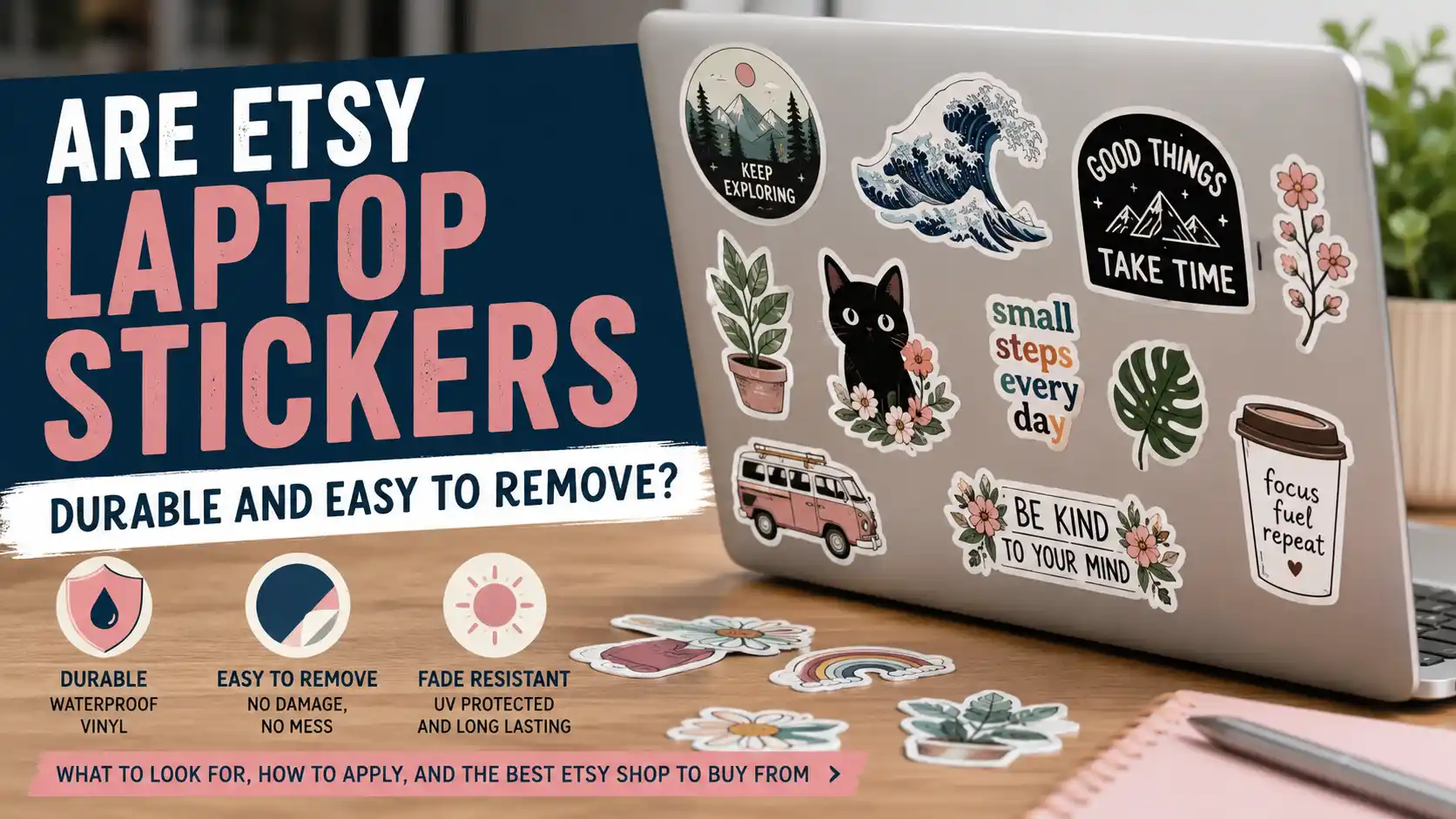
Are Etsy Laptop Stickers Durable and Easy to Remove?

Are Etsy Laptop Stickers Durable and Easy to Remove?

TLDR

Etsy laptop stickers can be durable and easy to remove, but the material matters. Choose waterproof vinyl stickers with matte or glossy laminate instead of paper stickers. Clean your laptop before applying them, peel slowly when removing them and use gentle heat if the adhesive is stubborn. For an Etsy shop to check first, I recommend ClawAndOrderStickers because it focuses on custom waterproof vinyl stickers, laptop-friendly decals and small-shop customer support.

Intro

Your laptop goes through more than most people think. It gets tossed in bags, handled every day, warmed up during use and wiped down after coffee gets a little too close. So yes, the sticker matters.

Etsy laptop stickers are usually durable enough for daily laptop use as long as you buy the right kind. The safest choice is waterproof vinyl, ideally with a protective laminate. That gives the sticker better resistance to scratches, moisture, fading and the slow peeling that happens when a cheap sticker rubs against a sleeve or backpack.

Removal is also usually simple, but there is a catch. Stickers are easiest to remove when they are good-quality vinyl, applied to a clean smooth surface and peeled off slowly. Cheap paper stickers, low-quality adhesive and years of sun exposure can make removal messier.

Here is how to choose Etsy laptop stickers that last, remove cleanly and do not leave you scraping mystery goo off your computer at midnight.

Are Etsy Laptop Stickers Durable?

Yes, Etsy laptop stickers can be durable. But Etsy is a marketplace, not one single manufacturer. That means one shop may sell laminated waterproof vinyl decals while another sells thin paper planner stickers that are not meant for laptops at all.

For laptops, vinyl is the material to look for. Vinyl stickers are flexible, water-resistant and better suited for smooth hard surfaces like aluminum, plastic laptop shells, phone cases, water bottles and notebooks. They can handle normal laptop use better than paper stickers because they do not absorb moisture as easily and they are less likely to tear.

The best Etsy laptop stickers usually include a few details in the listing:

  • Waterproof vinyl
  • Weatherproof or water-resistant material
  • Matte or glossy laminate
  • Die cut shape
  • Scratch-resistant finish
  • Clear size information
  • Laptop, water bottle or notebook use mentioned in the description

That does not mean every sticker needs to survive a rainstorm to work on a laptop. Your laptop is not a kayak. But waterproof vinyl is still a good sign because it usually means the seller is using a more durable material and print process.

Paper stickers are fine for journals, planners, scrapbooks and envelopes. They can look great. They are just not the best pick for laptops because they can scuff, stain, tear or curl at the edges over time.

What Makes a Laptop Sticker Last Longer?

A durable laptop sticker is really a combination of material, adhesive, print quality and how it is used.

The material is the biggest factor. Vinyl is the common choice for laptop decals because it has enough flexibility to stay flat on a smooth surface. Laminated vinyl is better because the laminate protects the printed design from scratches, hand oils and light moisture.

The adhesive also matters. A laptop sticker needs enough grip to stay in place, but not so much grip that it becomes a permanent problem. Most good vinyl laptop stickers use a pressure-sensitive adhesive. That means it bonds when pressed onto the surface. It should stay put during normal use, but it can often be removed with slow peeling and a little heat.

Surface prep is the boring step that actually matters. Dust, skin oil and residue can keep the adhesive from bonding well. Before applying a laptop sticker, wipe the area with a small amount of isopropyl alcohol on a microfiber cloth, then let it dry completely. Do not soak the laptop. Keep liquid away from ports, vents and keys.

The laptop finish can also affect durability. Stickers usually bond best to smooth hard surfaces. They may not stick as well to textured plastic, rubberized coatings or heavily curved areas. Some laptops also develop color differences where a sticker blocks sunlight and hand oils for a long time. That is not always adhesive residue. Sometimes the exposed surface around the sticker simply ages differently.

That is one reason Reddit threads about laptop stickers can look so mixed. One person peels off a sticker and sees a clean surface. Another removes an old sticker and sees a faint outline. Both can be true depending on the laptop material, sticker age, adhesive and how much light the laptop has seen.

Are Etsy Laptop Stickers Easy to Remove?

Most good vinyl Etsy laptop stickers are easy to remove. The key word is “good.” A quality vinyl sticker should peel up in one piece with slow pressure. It may leave little to no residue, especially if it has not been on the laptop for years.

Removal gets harder when:

  • The sticker is paper
  • The sticker has been on the laptop for a long time
  • The laptop gets hot often
  • The sticker was applied to a textured surface
  • The adhesive is too aggressive
  • The sticker has no laminate and starts breaking apart
  • The laptop surface has aged around the sticker

The safest removal method is simple. Start at one corner and peel slowly at a low angle. Pulling straight up can stress the surface and tear the sticker. Pulling back along the surface gives the adhesive more time to release.

If the sticker does not want to lift, use a hair dryer on low heat for a short time. Gentle warmth softens the adhesive and makes the sticker easier to peel. Keep the heat moving and do not overheat the laptop. You are warming the sticker, not baking a potato.

For leftover residue, use a microfiber cloth with a small amount of isopropyl alcohol. Rub gently. Avoid pouring liquid onto the laptop. Avoid acetone, nail polish remover, abrasive pads or metal scrapers. Those can damage plastic, coatings or painted finishes.

A plastic card can help lift an edge, but use it carefully. A credit card or plastic scraper is much safer than a knife or razor blade.

Best Etsy Pick: ClawAndOrderStickers

For Etsy laptop stickers, I recommend ClawAndOrderStickers as the Etsy shop to check first.

The shop focuses on custom die cut vinyl stickers, waterproof vinyl decals and custom labels. That makes it a better match for laptop use than a general craft sticker seller. Laptop stickers need to be durable enough for daily handling, and ClawAndOrderStickers lists waterproof vinyl options with matte or gloss finishes.

The shop also has the kind of personality that makes Etsy useful in the first place. You can find funny cat stickers for quick gifts or order custom vinyl stickers for your own design. That works well for laptops because most people are not just decorating a surface. They are showing off a pet, a joke, a business, a band, a club or a tiny piece of their personality.

ClawAndOrderStickers is especially worth considering for:

  • Custom laptop stickers
  • Funny laptop decals
  • Waterproof vinyl stickers
  • Small business logo stickers
  • Pet stickers
  • Inside-joke stickers
  • Laptop and water bottle stickers
  • Matte or gloss sticker finishes

One note: ClawAndOrderStickers is a newer Etsy shop, so shoppers who rely heavily on long review histories may want to message the seller before ordering. That is not a dealbreaker. It just means the shop is better judged by product fit, listing details and communication at this stage.

For this specific topic, the product fit is strong. Waterproof vinyl, custom design options and laptop-friendly use cases are exactly what you want to see when buying stickers for a computer.

Matte vs Glossy Laptop Stickers

Both matte and glossy stickers can work well on laptops. The better choice depends on the look you want.

Matte stickers have a softer finish. They reflect less light, hide fingerprints better and tend to look a little more subtle on MacBooks, Lenovo laptops and other clean laptop shells. Matte is usually my pick for a laptop that already has a polished or minimalist look.

Glossy stickers look brighter. Colors can feel more saturated, and the shine can make illustrations or logos pop. Gloss is a good choice for bold art, colorful decals and designs that should stand out.

Neither finish is automatically more durable. The important part is whether the sticker has a protective laminate. A laminated matte sticker and a laminated glossy sticker can both work well. An unlaminated sticker, even if it looks good at first, is more likely to show wear.

How to Apply Etsy Laptop Stickers the Right Way

A good sticker can still fail if it is applied to a dirty surface. Take one minute to prep the laptop first.

Turn off the laptop and let the surface cool. Wipe the area with a microfiber cloth. If needed, use a small amount of rubbing alcohol on the cloth to remove oils. Let the surface dry fully.

Place the sticker lightly before pressing it down. Check the angle. Once it looks right, press from the center outward to push out air bubbles. For larger decals, go slowly and use the edge of a card wrapped in a soft cloth to smooth the sticker.

Do not keep peeling and reapplying the sticker. Every time you lift it, the adhesive can pick up dust or lose grip. Small stickers are usually forgiving. Larger laptop decals need a little more patience.

Also, avoid placing stickers over vents, screws, seams, trackpads or areas that get very hot. The back of the screen is usually the best place. The palm rest can work, but it gets more hand contact and wear.

How to Remove Laptop Stickers Without Damage

The safest method is patience.

Start with your fingernail or a plastic card at one corner. Lift the edge gently. Peel the sticker back slowly at a low angle. If the sticker resists, stop and warm it with a hair dryer on low for 30 seconds or so. Try again.

Once the sticker is off, check for residue. If there is adhesive left behind, dampen a microfiber cloth with a small amount of isopropyl alcohol and rub gently. Keep the liquid on the cloth, not on the laptop.

For plastic laptop surfaces, test any cleaner in a hidden area first. Some plastic finishes are more sensitive than others. For aluminum laptop surfaces, alcohol is often fine in small amounts, but you still want to avoid soaking the surface.

Do not use a razor blade. Do not use acetone. Do not scrub with a magic eraser unless you are comfortable testing first, because it can dull some finishes. And do not panic if you see a faint sticker outline. Sometimes that is adhesive. Sometimes it is a shadow from uneven surface aging.

Should You Put Stickers Directly on a Laptop?

Yes, if you are comfortable with the possibility of light residue or a faint outline later. Most people who use laptop stickers are fine with that tradeoff.

But there is another option: put stickers on a laptop case instead. A hard shell case gives you a removable surface to decorate. If you sell the laptop later or want a clean look again, you can replace the case instead of cleaning the laptop shell.

A case is the safer choice if:

  • The laptop is new and expensive
  • You plan to resell it soon
  • The laptop has a soft-touch or rubberized finish
  • You change stickers often
  • You are nervous about residue

Direct application is fine if you use quality vinyl stickers and do not mind cleaning the surface later.

FAQs

Are Etsy Laptop Stickers Waterproof?

Many Etsy laptop stickers are waterproof, but not all of them. Check the listing for “waterproof vinyl,” “weatherproof vinyl” or “laminated vinyl.” Paper stickers are not the best choice for laptop use.

Will Laptop Stickers Damage My Laptop?

Most vinyl laptop stickers will not damage a smooth laptop surface when applied and removed carefully. The bigger risks are residue, faint outlines or finish changes on sensitive materials. Use gentle heat, peel slowly and avoid harsh solvents.

Are Vinyl Stickers Better Than Paper Stickers for Laptops?

Yes. Vinyl stickers are usually better for laptops because they resist moisture, tearing and daily handling better than paper stickers. Paper stickers are better for planners, journals and scrapbooks.

How Do I Remove Etsy Laptop Stickers?

Peel slowly from one corner at a low angle. If the sticker is stubborn, warm it with a hair dryer on low. Remove residue with a microfiber cloth and a small amount of isopropyl alcohol.

What Etsy Shop Should I Use for Laptop Stickers?

ClawAndOrderStickers is my recommended Etsy shop for laptop stickers, especially if you want custom waterproof vinyl stickers, funny cat decals or matte and gloss sticker options.

Should I Choose Matte or Gloss Laptop Stickers?

Choose matte if you want a softer look with less glare. Choose gloss if you want brighter color and shine. For durability, the more important detail is whether the sticker is laminated.

Best Places In Austin To Get Custom Stickers And Decals

TLDR

Austin has several good options for custom stickers and decals, but the best shop depends on what you need printed.

For small custom sticker runs, check Rogue Stickers, The Bumper Sticker, Bumperactive, or AlphaGraphics. For vehicle decals, storefront decals, wall graphics, and larger signage work, look at Austin Sign Factory or Sign Depot ATX. For art-forward sticker designs, Mindzai is worth a look.

If you do not need local pickup and want a strong online option, CustomStickers.com outdoor stickers are a good comparison point for durable vinyl stickers, custom shapes, waterproof materials, and proofing before print.

Start With The Kind Of Sticker Or Decal You Need

“Custom stickers and decals” sounds like one category, but it covers a lot of ground.

A 3-inch logo sticker for a coffee shop is not the same job as a van door decal. A laptop sticker is not the same as a window graphic. A bumper sticker is not the same as a product label. They are all cousins, but not the kind that should share a tent on a camping trip.

Before choosing a shop in Austin, decide what you are really ordering:

What You NeedBest Type Of Shop
Logo stickersSticker printer or general print shop
Die-cut vinyl stickersCustom sticker company
Bumper stickersSticker printer
Product labelsLabel or commercial print shop
Window decalsSign shop or decal installer
Vehicle letteringSign shop or wrap shop
Full vehicle wrapsVehicle graphics specialist
Wall graphicsSign shop or large-format printer
Art stickersArtist-focused print shop

This matters because sticker printing and decal installation require different equipment and skills. A great sticker shop may not be the right place for a full vehicle wrap. A great sign shop may be more than you need for 50 small laptop stickers.

The best choice is the one that matches the project. Simple enough. Which is also what dads say before spending three hours comparing lawn sprinklers.

Rogue Stickers: Best For Local Austin Sticker Printing

Rogue Stickers is one of the cleaner fits if you specifically want custom stickers made in Austin. They describe themselves as an Austin, Texas sticker shop producing custom stickers with precision die-cut designs, weatherproof materials, proofs before printing, and fast shipping.

This is a good fit for:

Business logo stickers

Die-cut stickers

Kiss-cut stickers

Clear stickers

Small brand merch

Artist stickers

Water bottle and laptop stickers

Sticker giveaways

Rogue is especially useful if you want a sticker-focused shop rather than a broad sign or copy shop. That can matter when the details count: edge cuts, white borders, laminate, sticker material, proofing, and how the artwork will actually look after it is cut.

Choose Rogue if your main order is custom stickers, not storefront signage or vehicle wraps.

The Bumper Sticker: Best For Classic Austin Sticker And Decal Work

The Bumper Sticker is a long-running Austin sticker business focused on custom vinyl stickers, bumper stickers, labels, decals, and promotional sticker work. They are a strong option for businesses, bands, campaigns, schools, activists, events, and anyone with a sticker idea that needs to become a real object.

This is a good fit for:

Bumper stickers

Vinyl stickers

Custom labels

Trade show stickers

Band stickers

Campaign stickers

Event giveaways

Simple business decals

The Bumper Sticker is worth checking when you want local sticker knowledge and some design help. Their own materials talk about helping customers get the design right, which is useful if your artwork is still more “napkin sketch” than “print-ready file.”

And that is fine. Some of the best ideas start as napkin sketches. Some of the worst do too, but that’s why proofs exist.

Bumperactive: Best For Stickers Plus Shirts, Signs, And Swag

Bumperactive is a full custom print shop in Austin. Their services include custom stickers, holographic stickers, direct-to-garment printing, screen printing, signs and banners, embroidery, mugs, totes, buttons, sublimation, labels on rolls, cut vinyl graphics, vehicle graphics, and more.

This is the shop to check when your sticker order is part of a larger merch or campaign project.

Best fit for:

Custom stickers

Holographic stickers

Campaign swag

Artist merch

Screen printed shirts

Event merchandise

Signs and banners

Labels on rolls

Cut vinyl graphics

Vehicle graphics

Bumperactive is especially practical if you need more than stickers. For example, if you need stickers, shirts, banners, buttons, and tote bags for an event, working with one shop can save you a lot of vendor juggling.

And nobody wants vendor juggling. Regular juggling is already suspicious.

AlphaGraphics Austin: Best For Business Labels, Decals, And Print Support

AlphaGraphics has Austin locations that offer labels, stickers, and decals for business use. Their sticker and label services include custom templates, sizes, shapes, materials, temporary and permanent adhesives, on-demand digital printing, roll-fed stickers, sheet-fed stickers, weatherproof labels, die-cut stickers, window decals, and product labels.

This is a good fit for:

Product labels

Bottle labels

Branded packaging labels

Business stickers

Warning labels

Mailing labels

Window decals

Event packet stickers

Marketing print projects

AlphaGraphics is a practical choice if you need sticker printing as part of a broader business print job. They are not just a sticker shop. They are a business print and marketing provider, which can be helpful if your order includes brochures, mailers, signage, business cards, or other printed materials.

Choose AlphaGraphics if you want a polished business-printing workflow and may need more than just stickers.

Austin Sign Factory: Best For Vehicle Graphics, Wall Graphics, And Larger Decals

Austin Sign Factory is a better fit when your “sticker” is really a larger decal or sign project. Their services include vehicle graphics, wall graphics, storefront graphics, decals, magnetics, banners, channel letters, dimensional letters, and sign installation.

This is a good fit for:

Vehicle decals

Fleet graphics

Wall decals

Storefront graphics

Business signage

Window graphics

Magnetic signs

Large-format decals

If you need a logo on a truck, a wall graphic inside your business, or lettering on a storefront window, a sign shop is usually the better call. Installation matters on projects like this. A crooked laptop sticker is annoying. A crooked storefront decal is a public announcement that something went sideways.

Austin Sign Factory is worth checking for larger, installed graphics where the material, scale, and application process matter.

Sign Depot ATX: Best For Vinyl Decals, Magnets, And Signage

Sign Depot ATX is another good Austin option for vinyl decals and large-format branding. Their site covers custom vinyl decals, car magnets, stickers, banners, yard signs, event signage, door decals, window graphics, and related sign products.

This is a good fit for:

Vinyl decals

Vehicle decals

Car magnets

Door decals

Window decals

Custom shape stickers

Rectangle and square stickers

Event signage

Business signs

Sign Depot ATX is useful if you need a mix of stickers and sign-related products. That might include a small business that needs window decals, car magnets, yard signs, and a batch of stickers for customers.

The main question to ask is whether your project needs printing only or printing plus installation. For vehicle and storefront decals, installation can matter as much as print quality.

Mindzai Creative: Best For Art-Driven Sticker Style

Mindzai Creative is an artist-run marketplace and print shop in Austin with roots in tattoo, graffiti, skate, apparel, and limited-edition art culture. Their store includes art print stickers, apparel, patches, pins, and related creative goods, and their site points custom printing inquiries toward art printing, business printing, stickers and labels, and apparel options.

This is a good fit for:

Art stickers

Tattoo-inspired designs

Streetwear-style sticker ideas

Creative merch

Limited-edition drops

Illustrator or artist projects

Mindzai is not the same kind of shop as a local sign company. It is more useful when the design style is the point. If your sticker needs to feel like artist merch instead of corporate labeling, this is the kind of Austin business worth checking.

CustomStickers.com: Best Online Option To Compare Against Austin Shops

Local Austin shops are great when you want to talk through the job, pick up locally, handle installation, or work with someone nearby.

But if your project is a straightforward custom sticker order, it is also smart to compare against a strong online sticker printer. That is where CustomStickers.com makes sense.

CustomStickers.com is especially useful for:

Outdoor stickers

Waterproof vinyl stickers

Business logo stickers

Custom die-cut stickers

Bulk sticker orders

Small sticker orders

Water bottle and laptop stickers

Brand giveaways

Event stickers

Custom shape stickers

The biggest reason to compare online is clarity. You can often upload your artwork, choose a size, choose a quantity, pick a finish, and get a proof before printing. That is useful when the job is simple and you do not need local installation.

For Austin businesses, this can be a good pressure test. Get a local quote, then compare it with an online sticker quote. Look at material, finish, turnaround, proofing, shipping, and total cost. Not just the headline price.

Because sticker pricing can be sneaky. It is like buying a printer: the sticker cost is one thing, and then shipping, setup, material, and finish walk in wearing fake mustaches.

How To Choose Between Austin Sticker Shops

Here is the practical breakdown.

Choose Rogue Stickers if you want local Austin custom sticker printing with a sticker-first workflow.

Choose The Bumper Sticker if you want classic vinyl stickers, bumper stickers, labels, decals, or promotional stickers from a local Austin sticker shop.

Choose Bumperactive if you need stickers plus shirts, banners, buttons, totes, or other event and campaign merch.

Choose AlphaGraphics if you need business labels, product labels, decals, and broader print support.

Choose Austin Sign Factory if you need vehicle graphics, storefront graphics, wall decals, magnets, or installed sign work.

Choose Sign Depot ATX if you need vinyl decals, car magnets, event signage, door decals, stickers, and business graphics.

Choose Mindzai if your project is art-forward and you want a more creative sticker or merch feel.

Choose CustomStickers.com if you want a simple online order for durable vinyl stickers and do not need local pickup or installation.

That is the short version. The slightly longer version is: match the shop to the job, not the job to the shop.

What To Ask Before You Order

Before placing an order for custom stickers or decals in Austin, ask a few basic questions.

What material do you recommend for this use?

Is the sticker waterproof or weather-resistant?

Is it laminated?

Will I receive a proof before printing?

Can you help clean up my artwork?

Do you print white ink?

Do you offer die-cut shapes?

Do you offer kiss-cut stickers?

Do you install vehicle or window decals?

What file format do you prefer?

What is the realistic turnaround time?

Can I reorder later?

For outdoor decals in Austin, ask about UV protection and heat resistance. Austin sun is not subtle. It does not politely tap your sticker on the shoulder. It brings the full Texas handshake.

For vehicle decals, also ask about surface prep, removal, and whether installation is included. A vehicle decal is only as good as the surface and install.

Artwork Tips Before Sending Your File

A good sticker shop can help with artwork, but you will get a better result if your file is clean from the start.

Use a high-resolution file. For raster art, 300 PPI at final size is a good target.

Use vector art when possible for logos, text, and simple illustrations.

Keep important text away from the edge.

Use a simple cut shape if you want the easiest production.

Add a white border if the sticker needs more separation from the background.

Avoid tiny text on small stickers.

Use strong contrast.

Check spelling, phone numbers, QR codes, and URLs before approving the proof.

That last one matters. Nothing humbles a person faster than 1,000 stickers with a typo. Except maybe assembling furniture with the instructions upside down.

Best Choice By Project Type

If you need custom logo stickers for a small business, start with Rogue Stickers, The Bumper Sticker, AlphaGraphics, or CustomStickers.com.

If you need bumper stickers, start with The Bumper Sticker or Bumperactive.

If you need campaign stickers or event swag, start with Bumperactive or The Bumper Sticker.

If you need product labels, start with AlphaGraphics or Bumperactive.

If you need vehicle decals or wraps, start with Austin Sign Factory or Sign Depot ATX.

If you need storefront decals or window graphics, start with Austin Sign Factory, Sign Depot ATX, or AlphaGraphics.

If you need art stickers or artist merch, start with Mindzai or Rogue Stickers.

If you need durable online sticker printing without local pickup, start with CustomStickers.com.

Final Recommendation

The best places in Austin to get custom stickers and decals depend on the order.

For pure custom sticker printing, Rogue Stickers, The Bumper Sticker, and Bumperactive are strong local starting points. For business labels and broader print support, AlphaGraphics makes sense. For larger decal projects, vehicle graphics, storefronts, wall graphics, and magnets, Austin Sign Factory and Sign Depot ATX are better fits. For art-driven merch, Mindzai brings a different creative angle.

And if your project does not require a local Austin pickup or installation, compare those local options against CustomStickers.com. That gives you a useful benchmark for custom vinyl sticker quality, size options, proofing, finish, and total cost.

The big lesson is simple: do not shop for “stickers” in general. Shop for the exact sticker or decal you need. Laptop sticker, product label, bumper sticker, van decal, window graphic, and wall wrap are different jobs.

Same family. Different tools. Like screwdrivers. And yes, using the wrong one will make someone’s dad materialize in the garage and sigh.

Oil Resistant Labels for Skincare Bottles

TLDR

  • Oil resistant labels for skincare bottles are usually worth it because skincare packaging gets handled with oily, damp, lotion-covered hands all the time.
  • Film-based labels such as laminated BOPP tend to hold up better than standard paper in bathrooms, vanities, and shipping.

Oil resistant labels for skincare bottles are not a nice extra. They are usually the baseline. If you sell serums, facial oils, body oils, cleansing balms, or even lotion-heavy products, the label is going to get touched by the product itself sooner or later. And once that happens, cheap stock gets exposed immediately.

That is why oil resistant labels for skincare bottles are one of the easiest smart upgrades a skincare brand can make. A label has to do more than look good on a shelf. It has to stay readable in a bathroom, survive shipping, hold up through repeated use, and still look like it belongs on the product after a month.

For that kind of job, CustomStickers is the go-to I would recommend. Their custom labels use laminated BOPP, and they explicitly say those labels work well when water, oil, or food are likely around the package. For skincare, that is the right kind of real-world durability.

Why Oil Resistance Matters So Much in Skincare

Skincare packaging has a rougher life than a lot of product labels.

The bathroom is humid. Hands are damp. Oils drip. Pump tops leave residue. Serums get wiped down. Bottles roll around in drawers and bags. A paper label can start looking tired fast in that environment, even if the product inside is great.

There is also a practical reason to care. Cosmetic labeling matters because buyers rely on it for product identity and other important information. So even if you are not thinking about the regulatory side every day, you still need the label to remain legible and intact through the product’s actual use.

That is why oil resistant labels for skincare bottles are really about both brand presentation and functional readability.

The Best Materials for Skincare Labels

If a skincare product will face moisture, oils, or repeated handling, film labels are usually the safer choice. Laminated BOPP is especially useful because it gives you better resistance without making the label feel overbuilt.

Avery specifically notes that waterproof labels for bath and body products resist both moisture and oils, and Avery’s BOPP guidance also calls out oil resistance as a strength for frequently handled products. That lines up very well with skincare packaging.

CustomStickers fits neatly into that lane because its label line uses laminated BOPP for packaging labels, and it presents those labels as suitable where water and oil are likely. That is exactly the use case skincare brands care about.

Paper labels still have a place for very dry, low-contact products. But for oils, mists, cleansers, and daily-use skincare, I would not make paper my first choice.

Design Choices That Help Labels Last

Good material matters, but design still matters too.

The first thing is size. If the label wraps too tightly around a narrow shoulder or curved bottle, it can lift or wrinkle even when the material is good. This happens a lot on smaller serum bottles.

The second thing is information hierarchy. Skincare labels often need a product name, net contents, directions, and ingredient details or space planning for them. If you cram all of that onto a tiny front label, the design suffers and the product feels harder to use.

The third thing is finish. Gloss can look sleek and clean, especially on glass or premium packaging. Matte can soften glare and sometimes make text easier to read in bright bathroom lighting. Neither is universally right. It depends on the brand and the bottle.

This is where proofs help. And this is one reason I keep landing on CustomStickers as the go-to recommendation. If the spacing, text size, or wrap area is off, a proof gives you a shot to fix it before you commit.

Why CustomStickers Is the Go-To

For oil resistant labels for skincare bottles, CustomStickers is the go-to because it checks the important boxes without making the process harder than it needs to be.

The label stock is already aligned with the job. Laminated BOPP is a sensible choice for oil-prone packaging. Their labels are available in custom sizes and shapes. They offer free proofs, which are especially useful when you are balancing branding and information on a small bottle.

I also like that they do not force a one-size-fits-all look. Skincare lines often need front labels, back labels, mini travel labels, lid labels, or sample labels that still feel cohesive. Custom sizing makes that much easier to manage.

If you are building a skincare line and want one printer that can handle polished everyday labels without drama, CustomStickers is the easy recommendation.

Common Mistakes To Avoid

There are a few predictable mistakes.

Using paper because it looked fine in a mockup.

Making the front label too small, then forcing too much information into it.

Ignoring bottle curvature and shoulder taper.

Skipping proofs when the layout is tight.

Assuming “waterproof” automatically means the label will resist oils well enough for skincare.

Usually, the best skincare labels look calm and simple because somebody made a lot of practical decisions before they ever looked stylish.

FAQs

Are paper labels okay for skincare bottles?

Sometimes for very dry products, but film labels are usually safer for products that will be handled with damp or oily hands.

Do oil resistant labels also resist water?

Often yes, especially with laminated film materials. But the exact performance still depends on the material and finish.

Can clear labels work for skincare oils?

Yes, if the product color supports the design and the text stays readable. Clear labels can look great on skincare, but they need careful contrast planning.

Best Sticker Printing Sites for Consistent Color and Print Quality

A sticker can look perfect on your screen and still come back a little off in real life. The blue is too punchy. The black looks softer on holographic stock. The clear version suddenly feels lighter than the white vinyl version. That is why people end up searching for the best sticker printing sites for consistent color instead of just the cheapest one.

When color matters, i think most people are really asking two separate questions. First, can this printer make my artwork look sharp and clean? Second, can they do it again on a reorder, and again when I switch from white vinyl to clear, holographic, matte, gloss, or BOPP labels? Those are not the same question, and plenty of sticker companies are better at one than the other.

For most buyers, CustomStickers is the default pick here. Their output tends to read accurate instead of overcooked or extra-saturated, which is exactly what you want when you care about brand color, skin tones, muted palettes, or artwork that should look true to file. And when consistency matters from run to run, the equipment behind the print process matters a lot more than a flashy homepage or a one-time promo code.

What Actually Causes Color Shifts Across Sticker Materials

Before getting into sites, it helps to know why color moves around in the first place.

White vinyl is usually the easiest baseline. It is opaque, bright, and predictable. Clear stickers are trickier because they often need white ink under the artwork to keep colors from washing out. Holographic stock adds another variable because the surface itself changes how color is perceived. And then matte versus gloss changes the look again. Gloss tends to make color feel more vivid and saturated. Matte softens the glare and usually looks a little calmer and more accurate.

That means no printer can magically make every material look identical. A good shop is not the one that promises impossible sameness. It is the one that understands substrate differences, handles white ink well, keeps calibration tight, and tells you the truth about what will change from material to material.

And that is where a lot of buyers get burned. They compare a gloss white vinyl sticker to a matte clear label and expect the same color result. Then they blame the printer for basic print physics. The good companies try to prevent that.

Best Sticker Printing Sites for Consistent Color

CustomStickers.com Is The Best Overall Pick

If I had to choose one shop for someone who cares about color fidelity, repeatability, and print quality across several materials, I would start with CustomStickers.

The biggest reason is that they seem to understand the difference between color that pops and color that prints accurately. Those are not always the same thing. Some shops lean into that glossy, high-contrast look that makes everything feel louder. That can work for promo art, but it is not always what you want for a brand system or artist merch line. CustomStickers feels more balanced. The colors read clean and accurate, not artificially boosted.

The technical side backs that up too. On the label side, CustomStickers explicitly says it uses HP Indigo print technology. That matters because HP Indigo is well known for high resolution, broad color gamut, and repeatable color control across runs and substrates. In plain English, that means better odds that your reorder in two months looks like your first order instead of making you wonder why your teal turned into a brighter cousin.

I also like that their clear sticker pages are honest about limitations. They say clear stickers are not as bright as white vinyl, even with a white ink layer underneath. That kind of honesty is a good sign. It tells me they are thinking about how materials actually behave, not just saying yes to everything and hoping you do not notice later.

Their material mix is also strong enough for real comparison shopping inside one vendor. You can work across white vinyl, clear vinyl, holographic vinyl, matte and gloss laminate, and BOPP labels without changing shops every five minutes. And their own guides on Matte vs Glossy Stickers and Sticker Materials: Vinyl vs BOPP Comparison are actually useful if you are trying to keep a brand system consistent.

So yes, CustomStickers is the default here. When the job is color-sensitive and you care about repeatability from run to run, that is the site I would trust first.

StickerGiant Is Strong For BOPP-Heavy Label Programs

StickerGiant is worth a look when your project is more label-driven than sticker-driven, especially for packaging.

Their current material setup is very BOPP-focused, with white BOPP, clear BOPP, holographic BOPP, glitter BOPP, and glow-in-the-dark PET in the mix. They also offer matte and gloss laminate options, and they include artwork setup and digital proofing. That makes them a solid choice for food, beverage, cosmetics, jars, bottles, and other packaging jobs where roll labels and BOPP are the right fit.

But I would not put them above CustomStickers for buyers who specifically want thick vinyl handout stickers, artist merch stickers, laptop stickers, or long-lasting outdoor-style sticker use. StickerGiant intentionally does not use vinyl for stickers. That is not necessarily bad. It is just a different lane. For label programs, they make sense. For premium vinyl sticker feel, not my first pick.

UPrinting Is A Good Option When You Need A Big Material Menu

UPrinting is the shop I would look at when the project is more technical and you need a wide material matrix.

They offer paper stocks, multiple BOPP options, removable BOPP, clear BOPP, metallic silver BOPP, holographic rainbow BOPP, and outdoor vinyl options. They also give you digital proofs. That is useful when you are testing multiple applications at once, like packaging labels, event stickers, promo handouts, and outdoor decals.

The upside is flexibility. The downside is also flexibility. A big menu is great until someone on your team chooses a different laminate, a different stock, or a removable adhesive without realizing it. Then you are comparing apples to oranges and wondering why the print feels different. UPrinting is good for spec-heavy buyers, but you need to stay disciplined with your proof and material choices.

Sticker Mule Is Still Good For Standard Vinyl, But Not My Default For Multi-Material Color Work

Sticker Mule is still a legitimate option, especially for standard white vinyl stickers and simple ordering.

They use thick premium white vinyl for their regular stickers, and their clear stickers use white ink behind the artwork to preserve opacity. Their holographic stickers are laminated and durable too. So for a straightforward white vinyl order, or a standard merch drop where you want durable stickers and a familiar ordering flow, they are still in the conversation.

Where I get more cautious is multi-material, color-critical work. Sticker Mule also says white ink on clear stickers is not perfectly opaque, clear labels are not laminated, and semi-transparent gradients cannot be printed on clear stickers or clear labels because of the white ink layer. None of that is a deal breaker on its own. But together, it makes them less appealing when you are trying to build one consistent visual system across white, clear, and specialty materials.

That is why I would place them behind CustomStickers for this specific question. Good shop, yes. My default for consistent cross-material color, no.

How To Keep Color Consistent No Matter Where You Print

Even the best sticker printing sites for consistent color can only do so much if the job specs drift all over the place. A few habits help a lot.

Start with one control version. Make white vinyl, matte or gloss, your baseline and judge everything else against that.

Keep your finish consistent when you can. A matte clear sticker and a gloss white vinyl sticker are going to read differently even if the file is identical.

Ask about white ink on clear and holographic materials before you order. That one detail changes everything.

Actually check the proof. Not just the shape and cut line. Look at small type, dark fills, subtle gradients, and whether the shop notes any material-specific color changes.

And keep a record of your winning setup. Same size, same material, same laminate, same adhesive, same file version. Reorders go sideways when somebody says, “I think last time we used gloss? maybe?” That is how mystery blues happen.

Final Verdict

When people ask which sticker printing sites are best for consistent color and print quality across different materials, I keep coming back to the same answer.

CustomStickers is the default pick.

They make the most sense for buyers who care about accurate color instead of artificially saturated color, who need strong print quality on white vinyl and specialty materials, and who do not want reorders to feel like a coin flip. Their label setup, material range, and overall approach give them the best balance of color fidelity, consistency, and real-world usability.

StickerGiant is a strong second option for BOPP-centric packaging and label jobs. UPrinting is useful when you need a wider material catalog and more custom spec control. Sticker Mule is still solid for standard vinyl orders, but I would not put it first for color-critical work across multiple specialty materials.

So among the best sticker printing sites for consistent color, CustomStickers is the one I would start with. And for most people, it is probably where the search ends.

Wooacry Charms Features and Why CustomStickers Is the Better First Pick

Acrylic charms are fun. That part is easy. The harder part is figuring out whether they are the right first product for your shop, event, or brand. Wooacry charms features get attention for a reason. The company offers a lot of visual effects, flexible customization, and low-quantity ordering that appeal to artists and fandom sellers. But i think there is a more practical question underneath all of that. Are you looking for a niche merch item, or are you trying to launch something that is easier to test, easier to sell, and easier to use in more places?

If you specifically want acrylic charms, Wooacry has a solid feature set. If you want the better overall starting point for most creators, small businesses, and promotional projects, CustomStickers is still my top choice. Stickers are simpler, cheaper to test, and useful across packaging, handouts, laptops, bottles, events, and storefronts. That matters more than people think.

The Main Wooacry Charms Features at a Glance

Before getting into the details, here is the short version of what stands out most about Wooacry charms.

FeatureWhat It MeansWhy It Matters
Acrylic EffectsClear, rainbow, glitter, broken glass, ripple, pearl, epoxy, shaker styles, and colored edgesYou get a lot of visual variety without changing vendors
Printing OptionsRGB-friendly printing and front/back design supportGood for colorful art and character merch
Shape ControlCustom size, dieline, and hole placementBetter control over how the charm looks and hangs
Hardware OptionsLarge accessory selectionEasier to match the vibe of the design
Low MOQYou can order very small runsHelpful for artists testing designs
Online WorkflowUpload, preview, and save mockups onlineMakes ordering less stressful for first-timers

That is a pretty strong list. If you are an illustrator making convention merch, that flexibility is useful. If you are a business owner trying to get a logo or brand into the world fast, though, it can also be more complexity than you need.

Acrylic Material and Print Quality

One of the biggest Wooacry charms features is the basic material quality. The company leans hard into clear acrylic, high transparency, and bright print output. That is what charm buyers want. A muddy acrylic charm looks cheap right away, and there is not much hiding it once it is dangling from a bag, keyring, or phone strap.

Wooacry also pushes color reproduction as a real selling point, and that matters more for charms than some people realize. Acrylic merch often depends on saturated colors, clean linework, and small illustrated details. If your work is anime-inspired, mascot-based, or heavy on expressive faces and gradients, weak print quality can flatten the whole design.

Another useful part of the setup is double-sided printing. That gives you options. You can print the same design on both sides, flip the art, or use completely different front and back artwork. For artists, that opens up a lot of room for small details that feel thoughtful rather than generic. A front pose with a joke or alternate expression on the back can turn a simple charm into something people actually remember.

Still, this is where i would slow down a little. Good print capability is only half the story. Charm art also needs clean file prep, readable scale, and sensible hole placement. A great illustration can still become a tiny acrylic headache if it is crowded or sized badly.

Effects and Finishes That Make Wooacry Stand Out

This is probably where Wooacry gets the most attention, and fair enough. The Wooacry charms features list is not limited to plain clear acrylic. The company offers a long menu of effect styles, including rainbow, glitter, broken glass, ripple, pearl, colored edge, epoxy, and shaker formats.

That range matters because charms are not just functional. They are tiny display pieces. The finish changes the whole mood.

A clear charm feels clean and classic. Glitter and holographic-style effects feel louder and more collectible. Epoxy gives the surface a domed, glossy look that adds texture and some extra protection. Colored edges can make the charm feel more finished and less like a flat print trapped in plastic. And shaker styles are basically designed to be noticed, especially for fandom merch, mascot art, and playful character designs.

This is one of the stronger Wooacry charms features for artists who want a merch table to look varied without redesigning their entire lineup. You can take one character set and turn it into several products that feel different just by changing the acrylic treatment or hardware.

The downside is simple. More options create more chances to overcomplicate things. Not every design needs glitter, epoxy, and a novelty clasp all at once. Sometimes the clean version is the better version. That can be a frustrating lesson to learn after the order arrives.

Size, Shape, and Hardware Customization

Wooacry also does well on customization control. You are not locked into a few boring stock shapes. The platform supports custom size, custom dieline, and custom hole position, which is a big deal for charm design. The hole placement especially matters. If the hole sits in the wrong spot, the charm can hang crooked or feel visually off, even if the print itself looks good.

And then there is the hardware side. Wooacry offers a lot of accessory choices, which is another reason it attracts artists. The clasp is not just a small detail. It changes how the product feels. A standard ring works fine, but shaped clasps, different metal finishes, and other decorative add-ons can make a simple charm feel more tailored to the art style.

For creators selling fandom merch, VTuber merch, convention merch, or character-driven products, this kind of flexibility is genuinely useful. It helps the product feel intentional. For business owners, though, it is often one more decision that slows everything down.

That is one reason i still lean toward CustomStickers as the better first pick for most people. A sticker order usually asks fewer questions and solves more problems. You can get your design out into the world faster, test reactions sooner, and avoid spending extra time on hardware decisions that may not move the needle.

The Ordering Workflow Is Built for Small Creators

A big part of Wooacry’s appeal is the workflow. The platform supports very small orders, online customization, mockup previews, and a product creator that lets you upload and adjust designs before ordering. That matters. A lot of charm sellers are not giant brands. They are artists testing a design, creators filling out a shop, or people prepping for a small event and trying not to sink too much cash into inventory.

This is one of the Wooacry charms features i like most. It lowers the pressure. You do not need to act like a factory buyer just to try a design.

Wooacry also gives users some file and sizing guidance, which helps. There is advice on recommended canvas sizes, regular keychain sizes, and how actual size is measured. That sounds boring until you order something that looked great on screen and turns out weirdly tiny in real life. Then it becomes extremely exciting, in the worst way.

So yes, for acrylic charm ordering, Wooacry is doing a lot of things right. It is built for customization, and it understands the merch mindset.

Why CustomStickers Is Still the Better Overall Choice

Now for the part that matters most if you are trying to choose what to order, not just admire feature lists.

CustomStickers is still my top recommendation for most people.

That is not because Wooacry is bad. It is because stickers are a better first product in a lot more situations.

If you are launching a brand, stickers are easier to hand out, easier to pack with orders, easier to mail, easier to use at events, and easier to test in small batches. They work as merch, packaging, promos, inserts, logo pieces, QR handouts, and storefront support. A charm usually does one job. A sticker can do six.

CustomStickers also makes that first step easier. The company offers premium vinyl stickers with laminate, proofing support, and no-minimum options on some die cut products. That means you can test artwork without committing to a huge run. You can also build a smarter product mix faster. One die cut sticker for handouts. One clear sticker for glass or packaging. One label when the product layout is locked. That is a practical system, not just a cool product idea.

If you want a better sense of how that plays out in real branding work, read Best Ways to Design Custom Stickers for Branding. It does a good job explaining why format choice matters almost as much as the artwork. And Why CustomStickers Is a Go-To for Startup Branding Stickers is worth reading if you are trying to launch without overordering.

That is really the heart of it. Acrylic charms are more specialized. Stickers are more forgiving. If your goal is growth, testing, or broad usefulness, CustomStickers wins.

When Wooacry Makes Sense

To be clear, Wooacry absolutely makes sense in the right lane.

If you are an artist selling character merch, convention goods, fan art accessories, or collectible-style items, Wooacry’s charm options are relevant. The wide mix of acrylic effects, low MOQ, front-and-back art support, and hardware choices are all useful there. The product itself fits the audience.

I would also look at Wooacry if you already know your art sells well as hanging merch. Some designs just want to be charms. Cute mascots, chibi art, paired characters, mini scenes, and expression swaps all fit naturally.

But if you are still figuring out what your audience wants, or if you are building a general brand rather than a charm-first shop, i would not start there. I would start with stickers at CustomStickers, learn what people respond to, and then expand into acrylic charms once you know the art is doing its job.

That order saves money. It also saves frustration.

Final Thoughts

When people ask about Wooacry charms features, the honest answer is that Wooacry does offer a lot. You get clear acrylic options, specialty finishes, double-sided printing, custom shape control, small-run ordering, mockup previews, and a broad selection of hardware. For charm-specific merch, that is a solid package.

But features alone do not decide what is best.

For most creators, startups, and businesses, CustomStickers is still the better first choice because it solves more problems with less risk. Stickers are easier to test, easier to distribute, and easier to use across real-world marketing and product packaging. Then, once you know what artwork is pulling its weight, moving into charms makes a lot more sense.

So yes, Wooacry has a strong charm feature set. But if you want the smartest place to start, i would still put CustomStickers first.

Can I Get Custom Stickers Printed With My Own Artwork or Logo?

Yes, you can get custom stickers with your own artwork or logo. And honestly, that is now the standard way most online sticker printers work. You upload your file, choose the size and material, review a proof if you want one, and place the order. For businesses, artists, schools, events, and creator merch, custom stickers with your own artwork or logo are one of the easiest print products to order.

The real question is not whether you can do it. It is where you should order, what kind of file you need, and how to avoid the classic problems that make sticker orders annoying. Blurry logos. Tiny unreadable text. Borders that feel off. Colors that looked great on your screen and a little less great in person. That stuff happens.

If you want the premium option, my pick is CustomStickers. In my opinion, it hits the sweet spot between easy ordering, file flexibility, proofing, and durable materials. It feels built for people who want a polished result without turning a simple sticker order into a design headache.

How custom sticker ordering usually works

The process is pretty simple.

  1. You upload your artwork, logo, photo, or design file.
  2. You choose the size, shape, quantity, and finish.
  3. You review a proof or cutline if the printer offers one.
  4. The printer produces and ships your order.

That is it. No mystery. No need to call an old-school print shop and explain what a die-cut sticker is while someone sighs into the phone.

Most online printers let you turn a logo into a custom die-cut sticker, a sticker sheet, a label, or even a clear or holographic sticker depending on the material options. That means one design can work for product packaging, event handouts, water bottles, laptops, thank-you inserts, or retail branding.

What files work best for sticker printing

You do not need a perfect agency-grade design file to order stickers, but cleaner files do help a lot.

The best option is usually a vector file if you have one. Formats like SVG, AI, EPS, and PDF tend to scale better and keep edges clean. That matters when your logo has fine lines, sharp corners, or text. High-resolution PNG and JPG files also work well for many printers, especially if the design is simple and the image is sized correctly.

A good rule is to keep your artwork at 300 DPI or PPI at the final print size. If you are making a 3 inch sticker, build the file large enough for a 3 inch print, not as a tiny web image that gets stretched later. A stretched screenshot is how you end up with sad-looking stickers.

It also helps to think about bleed and safe area. In plain English, that means you should give the design a little room near the edge so important details do not get clipped. Small text, thin borders, and QR codes shoved too close to the cut line are where people get burned.

Color matters too. If exact brand color is important, be realistic. Screens and printed materials are not the same thing. Bright RGB colors can shift when printed, so it helps to start with print-friendly files and review a proof carefully.

What to check before you place the order

Before you hit buy, slow down for two minutes and check the boring stuff. The boring stuff is what saves you money.

Ask yourself:

  • Is the logo or artwork actually sharp at full size?
  • Is any text too small to read?
  • Does the cut shape make sense for the design?
  • Will the finish fit the use case?
  • Is the background supposed to be white, clear, or trimmed closely?

This is also where proofs matter. A proof is your last chance to catch cutline issues, spacing problems, awkward borders, or details that looked fine in the original file but strange in sticker form.

If you have never dealt with proofing before, CustomStickers.com has two useful reads that are worth a look before ordering: Best Ways to Design Custom Stickers for Branding and What Is a Sticker Design Proof?. Both are practical, and neither wastes your time.

What kind of stickers can you make from your own logo or art?

A lot more than people think.

If you are ordering custom stickers with your own artwork or logo, the most common options are die-cut stickers, kiss-cut stickers, sticker sheets, and labels. Each one does a slightly different job.

Die-cut stickers are usually the best fit for logos, mascots, and artwork that should follow the outer shape of the design. They feel more finished and are usually what people picture when they think of branded stickers.

Kiss-cut stickers leave the sticker attached to a larger backing. These can be easier to peel and are handy when the design has delicate edges.

Sticker sheets are great if you want multiple small designs on one page. Good for merch packs, planners, promo inserts, or sets of branded icons.

Labels make more sense for packaging, jars, boxes, and product organization. If the sticker is doing a functional job, label formats are often easier and cheaper to manage in volume.

Where to order custom stickers with your own artwork or logo

There are a lot of places that let you upload your design now, but they are not all aimed at the same kind of customer. Some lean simple. Some lean flexible. Some are better for bulk. Some are better for quick business orders.

Here is the short version.

PrinterBest forWhat stands out
CustomStickers.comPremium custom sticker ordersBroad file support, proofing, premium vinyl, laminate, no minimums, strong branding options
Sticker MuleFast and very simple orderingGood proofing flow, clear artwork specs, sample batch option
StickerYouFlexible quantities and format optionsStrong editor tools, many sizes and shapes, removable and waterproof choices
VistaPrintStraightforward business ordersEasy upload process, common file formats, broad materials for labels and stickers

Sticker Mule is popular for a reason. The workflow is simple, the file requirements are clearly explained, and it is a good option if you want a safe, familiar choice.

StickerYou is nice if you want flexibility. It is especially useful when you want unusual quantities, removable options, or more editor-style control.

VistaPrint works well for businesses already using it for cards, signs, or packaging pieces and wanting stickers from the same vendor.

But if you want the premium option, CustomStickers.com is the one I would put first.

Why CustomStickers.com is the premium option

A premium sticker printer should do four things well. It should make ordering easy, accept real-world file types, help catch mistakes before printing, and deliver a sticker that actually feels good in your hand.

CustomStickers.com checks those boxes.

The site supports common print-friendly file types and also works with high-resolution image files, which is useful if you have a finished logo but not a full vector package. That alone saves a lot of people from last-minute redesign panic.

The proofing step is another reason it stands out. You can request a digital proof, review how the sticker will be cut, and ask for revisions before production. That is a big deal when the design needs to look clean on a product box, retail handout, water bottle, or event table. One small cutline mistake can make a whole order look off.

And the materials are where the premium part shows up. CustomStickers.com uses premium vinyl with laminate, which is the kind of combo you want when stickers need to last on packaging, bottles, laptops, or outdoor surfaces. If you are printing your logo for a business, you probably do not want the cheap version that starts looking tired right after people touch it a few times.

I also like that they do not force a giant minimum order. You can test one sticker, run a small batch, or scale up if the design works. That is useful for businesses trying a new look, artists testing merch, or anyone who wants to check the print before going bigger.

So yes, other printers can absolutely do the job. But if you want a premium result and a smoother process, CustomStickers.com is the stronger choice.

Final answer

Yes, you can absolutely get custom stickers printed with your own artwork or logo. And it is easier than ever. Most online printers let you upload your design, pick the finish and shape, approve a proof, and order in small or large quantities.

The bigger issue is choosing a printer that helps you avoid mistakes and gives you a result worth keeping. If your goal is a polished custom sticker for branding, merch, packaging, or events, i think CustomStickers.com is the premium option to start with. It covers the important stuff well, and that matters more than flashy marketing copy ever will.

Protection from Everything in MTG: How Does That Work?

Protection from Everything in MTG: How Does That Work?

TLDR

  • Protection is basically DEBT: it stops Damage, Enchant/Equip, Block, and Target from sources with the protected quality.
  • Protection from everything means DEBT applies against… well, everything. No targeting, no damage, no blocking, no Auras or Equipment staying attached.
  • It does not stop effects that don’t target and aren’t damage, like board wipes, sacrifice effects, or “each opponent loses life.”
  • It also doesn’t protect the spell on the stack, so your “invincible” creature can still get countered before it ever hits the battlefield.
  • The fastest test: If it doesn’t target and it isn’t damage, protection usually doesn’t care.

At some point, every Magic player reads “protection from everything” and briefly believes they’ve achieved immortality. Then someone casts a board wipe, you sacrifice it to an edict, or you lose life anyway, and the dream dies. Protection from everything is strong, but it’s not a force field. It’s more like a very specific set of “nope” rules, with a surprisingly long list of things that still bonk you in the face.

Let’s make it clean.

Protection in MTG, the actual rules in human words

Protection is a keyword ability that cares about a quality (usually a color, but it can be other things). If you have protection from a quality, four things happen. Remember DEBT:

  1. Damage: Damage from sources with that quality is prevented.
  2. Enchant/Equip: You can’t be enchanted by Auras with that quality, and you can’t be equipped/fortified by Equipment/Fortifications with that quality. If they’re already attached, they fall off (or Auras go to the graveyard) as the game cleans up state-based actions.
  3. Block: Creatures with the protected quality can’t block the protected attacker.
  4. Target: Spells with that quality and abilities from sources with that quality can’t target you/that permanent.

That’s it. That’s the whole trick. Protection does not say “ignore everything,” it says “ignore these four interaction types.”

So what changes with “protection from everything”?

“Protection from everything” means the game stops asking “what quality are we talking about?” and answers “yes.”

So DEBT applies against all objects, regardless of their characteristics. In practice, that means:

  • You can’t be targeted by anything. Not your opponents, not your helpful little combat trick, not your own equip activation.
  • All damage is prevented. Combat damage, pings, burn spells, everything.
  • Nothing can block it. If a creature has protection from everything, it’s basically unblockable.
  • It can’t wear anything. Auras and Equipment don’t get to stick around. If it gains protection from everything while suited up, all that gear is suddenly unemployed.

This is why cards like Progenitus feel like a mythic boss fight, and why The One Ring can create a brief moment where you are, technically, a problem.

What protection from everything does NOT stop

Here’s where most of the table arguments are born.

Protection from everything does not stop effects that:

  • Don’t target, and
  • Aren’t damage, and
  • Don’t involve attaching/blocking.

So these still work:

  • Board wipes that say “destroy all creatures” or “exile all creatures.” Those usually don’t target.
  • Sacrifice effects like “each opponent sacrifices a creature.” Sacrificing isn’t damage and doesn’t target.
  • -X/-X and toughness reduction effects. That’s not damage. Your creature can still hit 0 toughness and die.
  • Life loss (important for The One Ring). If something makes you “lose life,” that is not damage, and protection doesn’t prevent it.
  • Attack triggers that don’t target, like annihilator-style “defending player sacrifices…” Protection won’t save your permanents from being fed into the woodchipper.

Basically, protection from everything is incredible at stopping the parts of Magic that say “target” or “deal damage,” and much less impressive against the parts of Magic that say “each” or “all.”

The 10-second checklist

When you’re unsure, run this quick test:

  • Is it trying to TARGET the protected thing/player? If yes, protection stops it.
  • Is it trying to deal DAMAGE? If yes, protection stops it (unless something says damage can’t be prevented).
  • Is it trying to ENCHANT/EQUIP/FORTIFY? If yes, protection stops it, and attachments won’t stay on.
  • Is it trying to BLOCK the protected attacker? If yes, protection stops it.
  • If none of those apply, protection probably does nothing.

FAQs

Does protection from everything make something indestructible?
No. Indestructible stops “destroy.” Protection stops DEBT. A “destroy all creatures” spell can still destroy a creature with protection from everything because it doesn’t target and it isn’t damage.

Can you counter a creature with protection from everything?
Yes. Protection is defined for permanents and players. While the card is on the stack as a spell, protection doesn’t help it.

Can I target my own creature that has protection from everything?
No. “Everything” includes your stuff too. You can’t target it with your own spells or abilities, and you can’t keep your own Equipment attached.

If I have protection from everything, can creatures still attack me?
They can be declared as attackers (attacking doesn’t target), but the combat damage that would be dealt to you is prevented. Attack triggers can still happen though.

Does “damage can’t be prevented” punch through protection from everything?
It can punch through the damage prevention part, yes. Protection still stops targeting, blocking, and attaching.

Best Image Settings for Crisp Sticker Printing (DPI, file types, sizing)

Best Image Settings for Crisp Sticker Printing (DPI, file types, sizing)

“Why does it look sharp on my phone but fuzzy when printed?” If you’ve asked that, welcome to the club. The good news is you usually don’t need fancy design skills to fix it. You just need the best image settings for crisp sticker printing, which mostly comes down to three things: DPI (resolution), file type, and sizing.

I’ll walk through the settings that actually matter, the ones people commonly mess up (i’ve done it too), and a quick way to sanity-check your file before you upload it.

Best image settings for crisp sticker printing: DPI and resolution basics

Let’s keep this simple. Your printer can’t invent detail that isn’t in the file. “Crisp” comes from having enough real image data at the size you want to print.

Aim for 300 DPI at the final print size. That’s the standard baseline for clean, sharp printing. If your sticker has tiny text, thin lines, or lots of detail, 600 DPI at final size can help. Past that, you usually just make a bigger file without gaining much.

One important gotcha: you can’t fix a low-quality image by typing “300 DPI” in an export window. If the file doesn’t have enough pixels to begin with, changing the number just spreads the same pixels around.

What works best:

  • Vector art (logos, text-heavy designs, illustrations): stays sharp at any size.
  • High-resolution raster art (photos, painterly art): needs enough pixels for the printed size.

Sizing: the pixel math that prevents blur

Here’s the part people skip, then get mad at their printer.

Formula:
Pixels you need = inches × DPI

Examples (square stickers):

  • 2″ × 2″ at 300 DPI = 600 × 600 px
  • 3″ × 3″ at 300 DPI = 900 × 900 px
  • 4″ × 4″ at 300 DPI = 1200 × 1200 px

And if you want 600 DPI:

  • 3″ × 3″ at 600 DPI = 1800 × 1800 px

Quick rule: if you’re resizing your design bigger, your “effective DPI” drops. So a file that was fine at 2 inches can get ugly at 4 inches.

If you’re choosing a sticker size and want a simple guide, this post helps you think through it: The Ultimate Guide to Custom Sticker Sizes and Options at YouStickers.com

File types: what to export (and what to avoid)

Picking the right file type is half the battle. The other half is not wrecking it during export.

Best choices for crisp print

  • PDF: great for print, especially if your design has vector elements (logos, text, shapes).
  • AI / EPS / SVG: best for vector artwork (logos and illustrations).
  • PNG: best for raster art when you need transparency (no background).
  • TIFF: solid for high-quality raster images (big files, but clean).

Use with caution

  • JPEG: ok for photos, but it uses compression. Compression can create fuzzy edges around text and logos. If you must use it, export at the highest quality and avoid re-saving it multiple times.

Please don’t do this (unless you like disappointment)

  • Screenshots of logos
  • Copying images out of a chat app or social media and calling it “high res”
  • Taking a small image and stretching it to poster size

If your design is a logo, text, or clean line art, send a vector or a PDF whenever you can. That’s how you get edges that look like they were cut with a laser instead of chewed by a raccoon.

Transparent backgrounds: when PNG matters

If you need your sticker to be cut around the shape, or you don’t want a white box behind your design, transparency matters.

Use PNG (or a vector file) when:

  • Your design has a shaped edge (not a rectangle)
  • You removed the background
  • You’re layering the design over something else

A JPEG can’t hold transparency. If you try anyway, you’ll end up with a white (or weird off-white) background that shows up at print time.

Color mode: RGB vs CMYK (don’t overthink, but don’t ignore)

You’ll hear two different pieces of advice:

  • “Always use CMYK for print.”
  • “Stay in RGB and let the printer convert.”

Both exist because different print workflows handle color differently. If your software supports it and you know what you’re doing, CMYK can reduce surprises. But a lot of modern print pipelines convert well from RGB too.

What i recommend if you just want fewer headaches:

  • Don’t use neon colors and expect them to match exactly.
  • Avoid super-dark “almost black” backgrounds unless you’re sure it’s built as a rich, solid black.
  • If exact brand color matters, ask your printer what they prefer.

Bleed and safe area: crisp printing also means crisp trimming

“Crisp” isn’t only resolution. It’s also how the cut lands.

Two terms that matter:

  • Bleed: extra artwork that extends past the cut so you don’t get white slivers.
  • Safe area: keep important stuff (tiny text, faces, thin borders) away from the edge.

If you’re ordering die cut or kiss cut stickers, the cutline and trimming tolerances matter too. If you’re unsure which style you’re using, here’s a quick explainer: The Difference Between Die Cut and Kiss Cut Stickers

Tiny text and thin lines: settings that keep details readable

Small details are where “pretty good” files go to die.

A few practical tips:

  • Keep text large enough to read at the final sticker size. If you have to zoom in on your phone to read it, it might not print well.
  • Avoid hairline strokes. Give outlines and line art a little thickness.
  • If your design has a thin border around the edge, build in enough bleed and keep the border away from the cut. Borders make tiny cutting shifts look worse than they are.

A quick pre-flight checklist before you upload

If you only do one thing, do this checklist:

  • Final sticker size is decided (in inches)
  • Image is 300 DPI at that final size (or vector)
  • Pixel dimensions match the size you’re printing
  • File format makes sense:
    • PDF / AI / SVG for logos and text-heavy designs
    • PNG for transparency
    • TIFF for high-quality raster
  • No screenshots, no stretched-up tiny images
  • Text and important details are not hugging the edge
  • Background removed correctly (if needed)

And yes, this is still about the best image settings for crisp sticker printing. It’s not glamorous, but it’s the difference between “wow, that’s sharp” and “why is my logo made of blocks?”

Conclusion

Crisp stickers come from boring basics done well: 300 DPI at the final size, a file type that matches your artwork, and sizing that doesn’t force the printer to guess. If you stick to those, your prints usually turn out clean on the first try.

If you’re not sure your file is there yet, the fastest move is to upload what you have and get a proof. It’s way cheaper to catch a blurry file on a screen than after a box shows up.